 Pahe.in HQ Movies at Affordable Size
Old Way
Register on https://drive.klop.me/signup.php

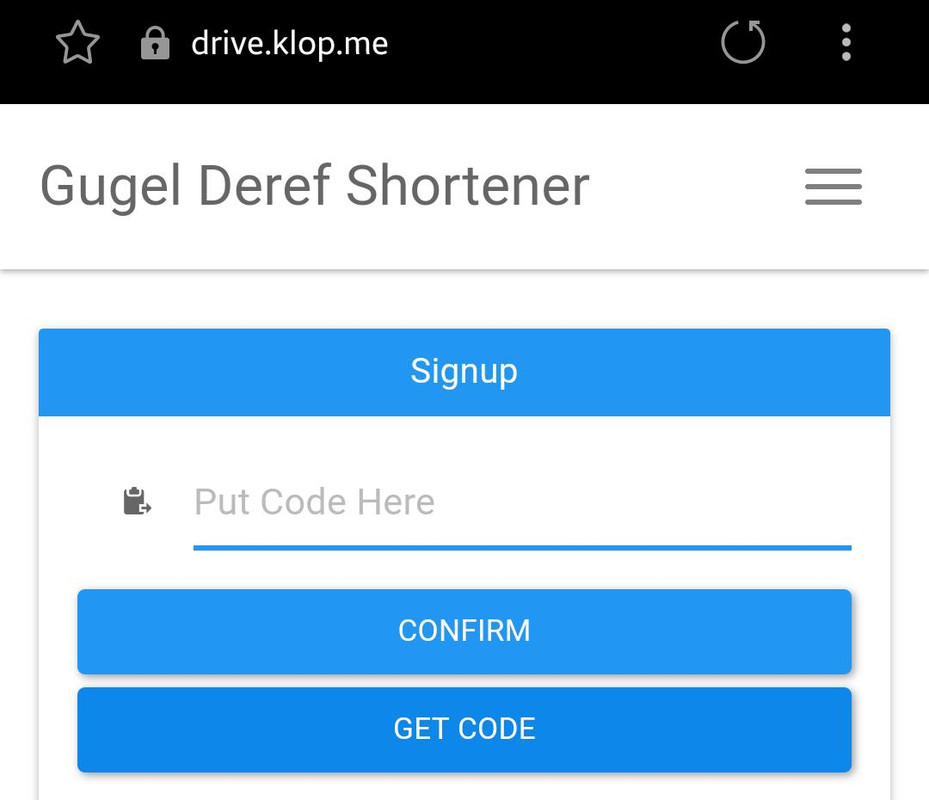
In the sign up page, you will required to put access code to copy the file you want to download into your drive, click ‘get code’.
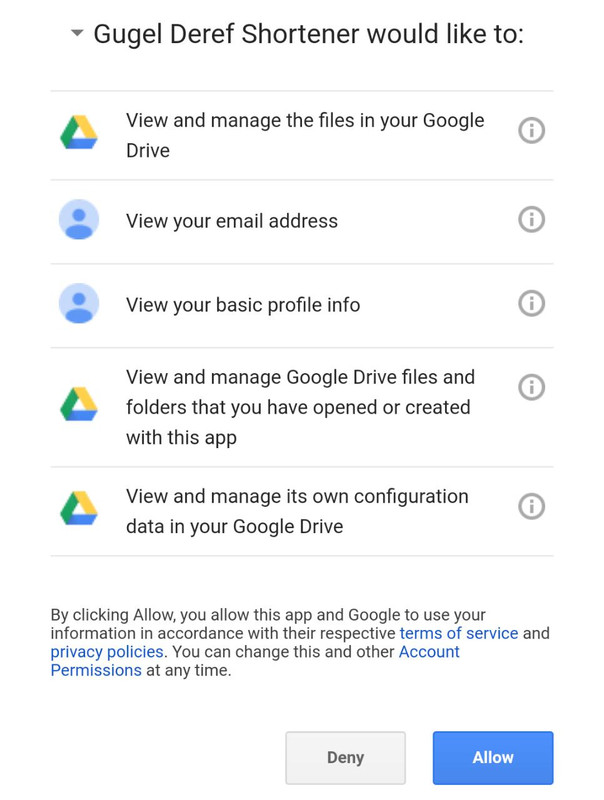
Allow the permissions
Copy the unique code and paste into previous tab, select ‘confirm’.

Create a new password, and you shall able to download from Googledrive links again

– Do not multiple Google account login on your browser, use only 1 account (which linked into Klop) to avoid error
– If you wish to multiple login make sure your default account on your browser is linked into Klop, otherwise you will get 403 error/unauthorized page
– If you still get 403 error/unauthorized page even after you set Google default account or use 1 account only, try clearing out your Google Drive on https://drive.google.com/drive/my-drive
We know this method looks complicated or hard compared to previous method, but this is the best method we can offer. Thank you for understanding.
Comment below if you still have issue, you can use English or Indonesian.
502 bad gateway error using g-drive links
it’s work!!
thanks 🙂
I used Win8 + chrome, and its work… tq
Gue download lewat app Google drive aman-aman aja tanpa masalah apapun. Kenapa yg lain pada bermasalah yaaa?
Hi admin. i couldn’t download the files. After i click the mega or google drive the Intercelestial pops up and there is no generate icon at all.
hey i couldn’t download anything . it either goes to Intercelestial ang no generate icon or goes to sweetlattern saying Internal Server Error Error 500..
plsss fix it ASAP. I am very desperate to download and watch sries….
Klop.me ngga bisa masuk nih gan ejecta kemarin masih bisa.
Sign in with Google temporarily disabled for this app
This app has not been verified yet by Google in order to use Google Sign In.
uc browser works like a charm
i’m using firefox, i’ve followed the instructions, but when i download using idm, it freezed. any solutions?
please read the tips
mau nanya, kenapa ga ada Request Film lagi? :’v
#cuman nanya
requestnya kebanyakan, ga kuat ngurusnya
Thanks Pahe
min… ane download pakai Chromium Browser lanjay.. nanti ada opsi advanced lalu pilih tetap lanjutkan..
btw ane pakai pc dengan os linux(zorin os)
rubes lah
I tried the following steps with the latest Firefox but the Google sign-in isn’t working as yet.
please post a screenshot
Bay Harbour Butcher U r the BEST Person Alive
Thanks for the brilliant solution.
For those who want to download directly without installing any extensions you can use Vivaldi Browser.
It works fine.
How? I just installed vivaldi and it still asks for a log-in!
can you tell me what you did?
@adam you have to log in in order to download
If you’re not sure about the security or privacy just create fake Google account for downloading purpose
damn thanks bro , download witthout google drive is slow , and your the solution , Haha thanks 😀
Kalo di Mac gin carax ya? sdh download Firefox tapi g ada pilhan2 menu sprit SS di atas
coba screenshot
since the google drive link is not working i request you to upload the openload link in 720p..
Have you even tried the solution lol
This solution is not working.
Firefox ESR 52.9.0 (32-bit) and Chrome 49.0.2623.112 Windows XP Pro SP3
If some one wishes to be updated with most recent technologies
then he must be go to see this site and be up to date everyday.
di halaman “your download has been processed”
link “direct download” dibawahnya kl dilik new tab ke blank page, kenapa ya
btw mo screen shot g tau cara uploadnya
sama gw juga gitu, ini gmn downloadnya ha ha
ini cuma dead link rupanya, abis coba link film lain langsung muncul kok downloadnya
coba lagi, barusan dibenerin
tetep gak bisa.. diklik “download” cuma muncul tab baru kosong.. udah dicoba bbrp link gak bisa.. ini pake Firefox.
coba tes ini bisa ngga
soalnya saya coba pake akun google acak bisa
https://drive.klop.me/file/78182
thanks min udah di benerin.
dri kmaren sya coba2 tpi ga bisa tpi skrg udah bisa
makasih min