 Pahe.in HQ Movies at Affordable Size
Step by step how to download:
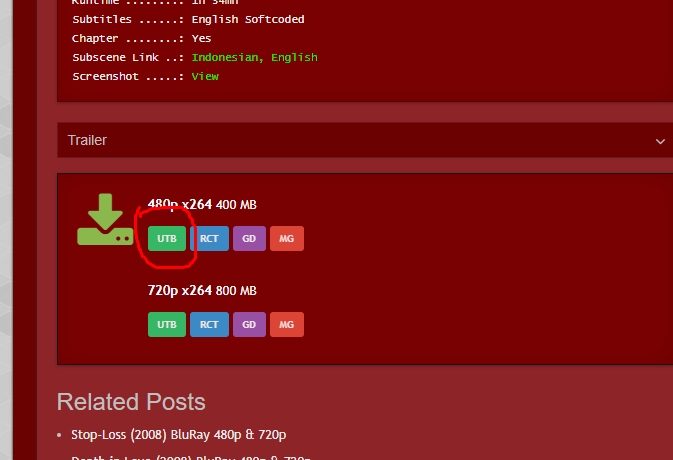
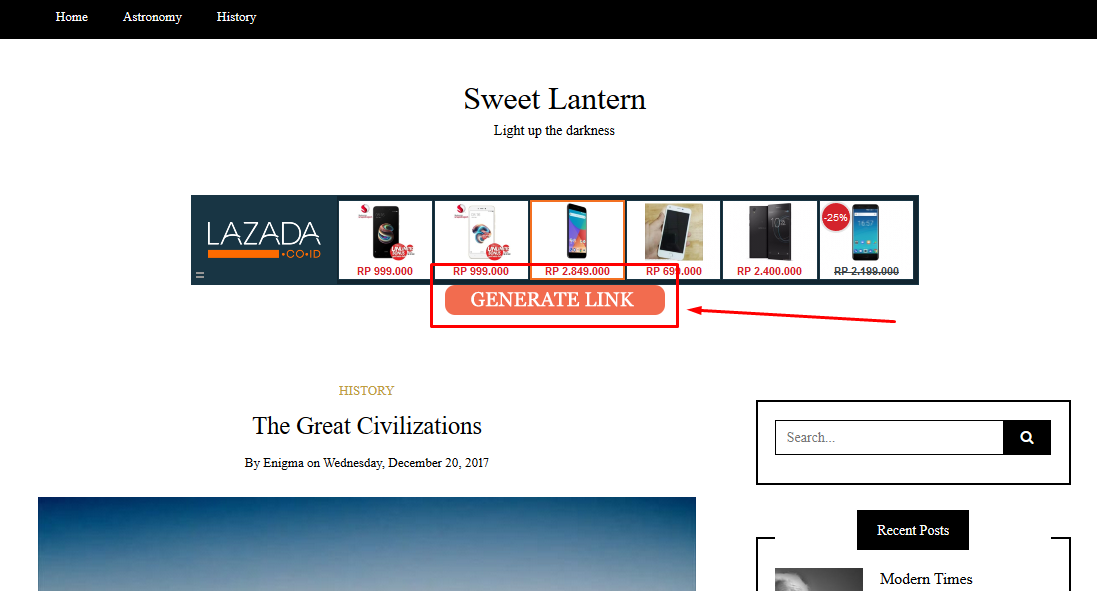
– Click GENERATE LINK
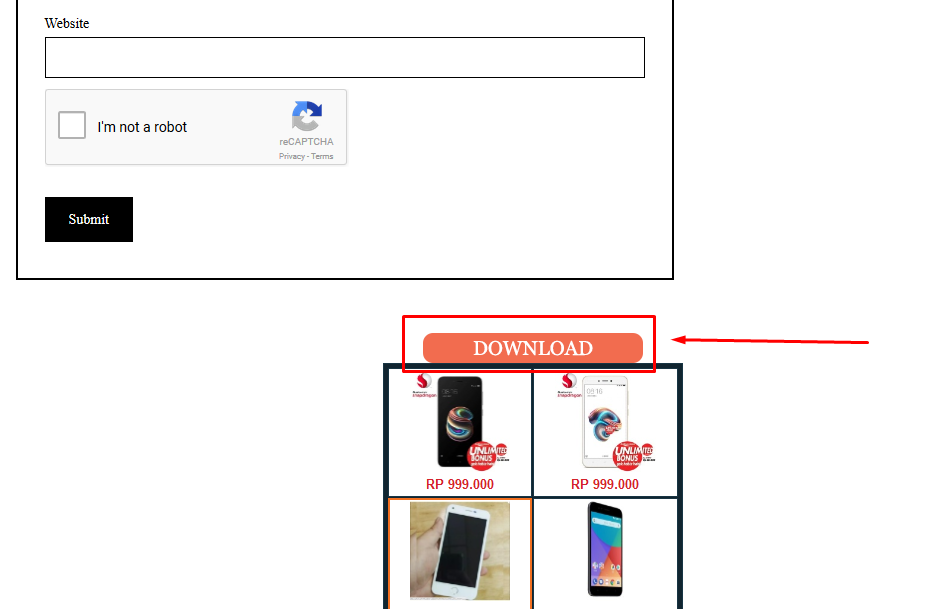
– Click DOWNLOAD
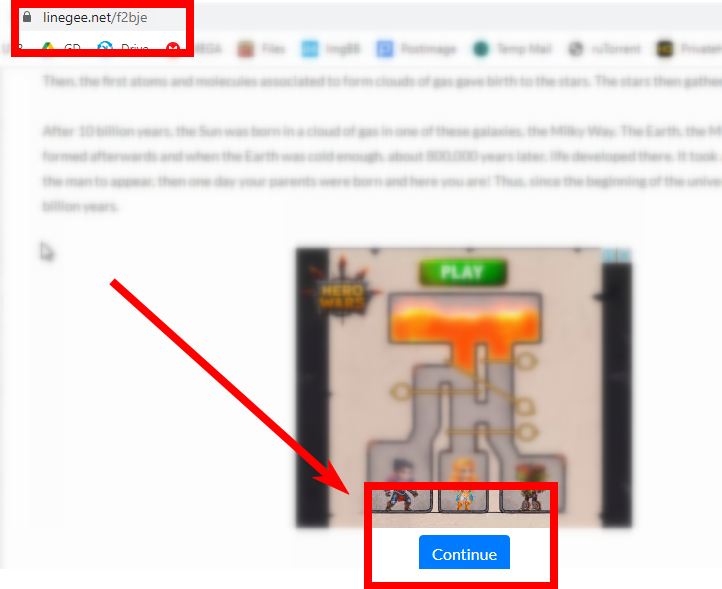
– Scroll down and click CONTINUE

Step 1 - On Pahe.in
Step 2 - On Sweetlantern/Intercelestial
– Click GENERATE LINK
Step 3 - Still on Sweetlantern/Intercelestial
– Click DOWNLOAD
Step 4 - On Linegee
– Scroll down and click CONTINUE
You're done!
Is it possible to convert this to an mp4 for free?
Possible. Use mp4box.
Hello admin, how can I log in to the site?
whenever i try to download from uptobox it says ssl error, why? Is there any way to download from uptobo free ?
please send screenshot
Why I always got “bad request” with everysingle movies
because you didn’t follow the instructions
what is the password
Link: https://pahe.ph/the-knight-of-shadows-between-yin-and-yang-2019-bluray-480p-720p/
Info : Mega 720p x265 HEVC has been deleted, please add a new one
Does anyone know how to rip movies from Pureflix?
sorry adimin any tips in using the jdownloader in pc to get the movies
please give us one drive links
Please add Shang Chi and Free Guy , Or any ETAs for them ?
add torrent add torrent why ads why
add torrent add torrent you fucking freak fuck india add torrent why ads why ads fuck you india
There are hundreds of torrent sites on the web. This is clearly not one of them. if that’s what you want, you’re in the wrong place. Go elsewhere.
Yo. What to with files that have 2 parts?
download both and extract it
on my block s4
Anytime I reach intercelestial it says bad request
And you haven’t reached Linegee?
I keep getting “ERR_SSL_PROTOCOL_ERROR” messages from linegee.
Are they down or is it my connection?
your end
how to handle it … Mr Admin
Same for me. Tried on my phone, laptop and pc none of them can access lineegee. Tried different browsers and just get the same error. They all say the site in insecure. Never had problems before, now i cant download anything. I really dont want to use mkvking but i will be forced to if i cant find a work around 🙁 I’m in UK FYI.
I’m in UK too and am having a similar problem in that the linegee connection keeps timing out. I’ve tried via my tablet, iPhone and PC to no avail using Firefox, Google and Opera browsers. Any suggestions anyone?
like @cart00nfAN and @PaulDubya got that error cant access linegee as of 10/29/21. Please help
I think I’ve found the problem. My ISP (Sky) had suddenly blocked spacetica.com for “phishing and malware” reasons! I logged into my account and manually added linegee as ‘safe’, and hey presto I had access again. Annoyingly, they did this without flagging it up anywhere. I suspect that other UK ISPs may have done the same.
weird. Linegee is literally educational site with 100% safe ads.
Thanks for the advice I will try when I get the chance. I’m with virgin media. They must have cottoned on to pahe’s strats lol.
how you fixed the problem can you explain ?
I downloaded a movie but it says that there is no available application to open the file, what do I do?